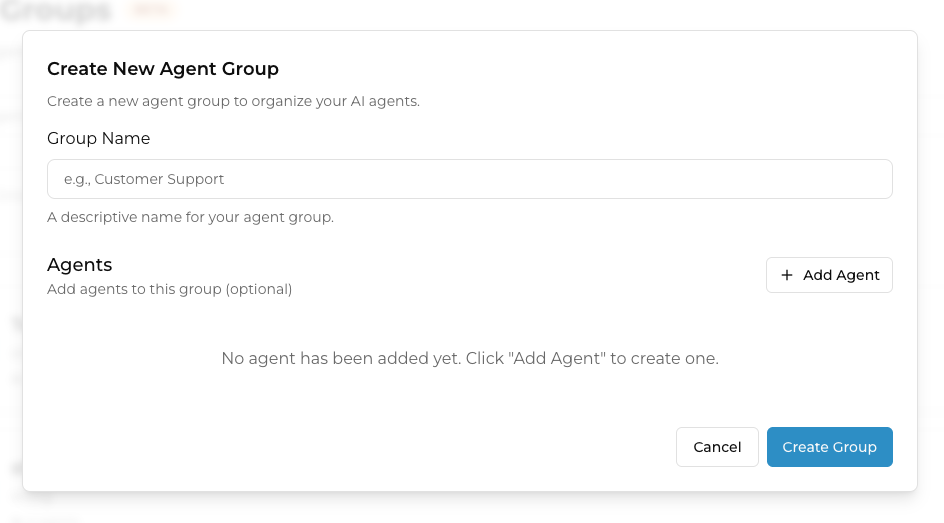
Create New Agent Group
Set up your Agent Group within the Create New Agent Group popup.

When you click +Create New Agent Group, this Create New Agent Group popup will appear.
Fill out the Group Name, which will represent your Agent Group. This will be the name you have to locate if you want to use the Agent Group as an AI Chatbot in your Channels.
Add Agent
In order to add a new AI Chatbot into your Agent Group, click 
This will expand the Create New Agent Group popup to reveal a new interface.

After clicking +Add Agent, the popup expands to reveal more fillable information. Please provide the following:
Select Chatbot: Choose the AI Chatbot you want to add into the Agent Group. It has to be a pre-existing AI Chatbot you already created.
Agent Name: Give your AI Chatbot an Agent Name to be used in the context of this Agent Group.
Model Provider (Optional): Give a Model Provider of the AI Chatbot you've chosen for easy tracking in your dev team - this can be OpenAI, Anthropic, etc.
Description: Describe the function of your AI Chatbot within this Agent Group. How will it help users compared to your other bots inside this Agent Group?
Example Queries: Add examples of chats from users that this AI Chatbot will normally answer. This will teach the Agent Group to start routing users to this AI Chatbot if they spot questions that follow the pattern of your queries.
Repeat the process by clicking Add Agent to add as many AI Chatbots as your Agent Group needs.
Finish your Agent Group setup
When done, click 
Last updated
Was this helpful?